Daily Word On Desktop
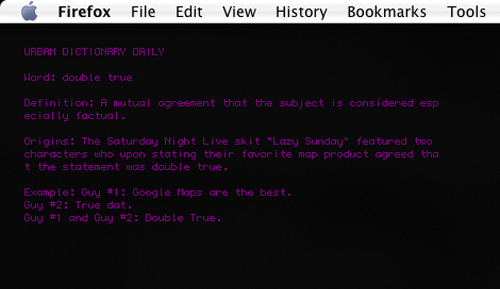
Continue reading...


I've just drawn a blog icon with Pixen. Finally, pixelart has a place in my blog.
Continue reading...
Recently, Google's just introduced a new web-based tool called Analytics. What does it do? It 
Continue reading...
I've just written a javascript code to extract my recent photos' thumbnails from flickr. You can see the demo on the sidebar of this blog. Yeah finally I made it :) You're welcome to download the code to use/modify. To get it working in your blog, replace YOUR-KEY in the first line of code with your Google API key, url in Feed with with your flickr feed, and create a new html/javascript widget with the code. That's set!
Continue reading...
Has it ever happened to you when you tried to save a flickr photo but you ended up saving another blank image file called "spaceball.gif" instead? I don't exactly know what flickr is trying to do. Preventing people from downloading those photos? Maybe. What flickr does is it uses another transparent image to overlay the main image to block users from downloading the actual image. Is there a way to get around it? Yeah of course. It's no wonder that if you can download youtube videos, you must be able to save protected flickr photos somehow. There are a few ways you can do this. One approach is to screenshot and then use image editing application to crop the part that you want but believe me it's such a pain in the arse. Another one is to actually read the code and extract the real image url and the paste it to browser address bar but i'm sure you don't wanna do this. Ok enough of all that hassle. I've written a few lines of javascript code that can be plugged into Greasemokey to display an actual link to the image. The code is written as follows:
// ==UserScript==
// @name          SaveFlickrImg
// @namespace     http://phalkunz.blogspot.com
// @description   Displays a download link for an unsavable flickr photo
// @include       http://www.flickr.*/*
//
// ==/UserScript==

var imgsrc;
var img;
var imgParent;
var flag = false;

var imgs = document.images;
for (var i=0; i<imgs.length; i++) {
var src = imgs[i].getAttribute("class");
if (src=="reflect"){
 img = imgs[i];
 imgParent = img.parentNode;
 imgsrc=imgs[i].getAttribute("src");
 flag = true;
}
}

if (flag) {
var my_banner = document.createElement("div");
my_banner.innerHTML = '<div style="border-bottom: 1px solid #333333; margin-bottom: 10px; font-size: small; background-color: #336699; color: #FFFFFF;>' +
   '<p style="margin:0px;padding: 5px;">' +
   '   <a href="' + imgsrc + '" style="color:#FFFFFF; font-weight:bold; font-size:10px;">main image link</a>' +
   '</p></div>';
imgParent.appendChild(my_banner);
}
Save that code as, for example, saveFlickrPhoto.user.js and install that file in greasemonkey. That's it. Go to that flickr photo that you couldn't download but this time it will show a link under the photo. That's it. I'm sure you know how to do it from there.
Continue reading...
As I've been asked by a few friends of mine about Expand/Collapse, I just wrote a small tutorial of it even though you can find the code in page source of my old blog template it's not easy to follow because the code was lengthy and the function I wrote is not well structured I would say.
<html>
<head>
<script language="javascript">
// TODO: expand/collapse (show/hide) an element, specified by id,
// triggered by an element, specified by triggerID. triggerTxt is a text in trigger element.
function toggle(id, triggerId, triggerTxt){
e = document.getElementById(id);
trigger = document.getElementById(triggerId);
</script>
</head>
<h3 id="trigger1" onclick="toggle('list1','trigger1','click here')">click here</h3>
<!-- element (in div) to be expanded/collapsed -->
<div id="list1">
<li>Item 1</li>
<li>Item 2</li>
<li>Item 3</li>
</div>
<ul>
<!-- call this function now to collapse list1 element when the page is loaded --></body>